Maintenance & work orders
Every job planned, tracked and closed properly.
One work-order flow for vehicles and building assets, with the checklist, technician time and parts on the order and the history kept on the asset.
Maintenance workflows
From the first report to a complete service history.
Work orders, step by step
- Raise the job
Open a work order against a vehicle or building asset, with a priority and a due date.
- Plan the tasks
Break it into a checklist so everyone knows what “done” means before work starts.
- Do the work
Technicians tick off tasks, record their time and draw parts from stock.
- Close and keep
Close the order once its checklist is complete. Time, parts and notes stay on the asset’s record.
Open 2
FWO-208Urgent
Block B boiler repair
WO-1192Normal
Tyre check, panel van
In progress 1
WO-1187High
Pickup brake service
Closed 1
WO-1179Closed
Gate motor service
Checklists and time on every job
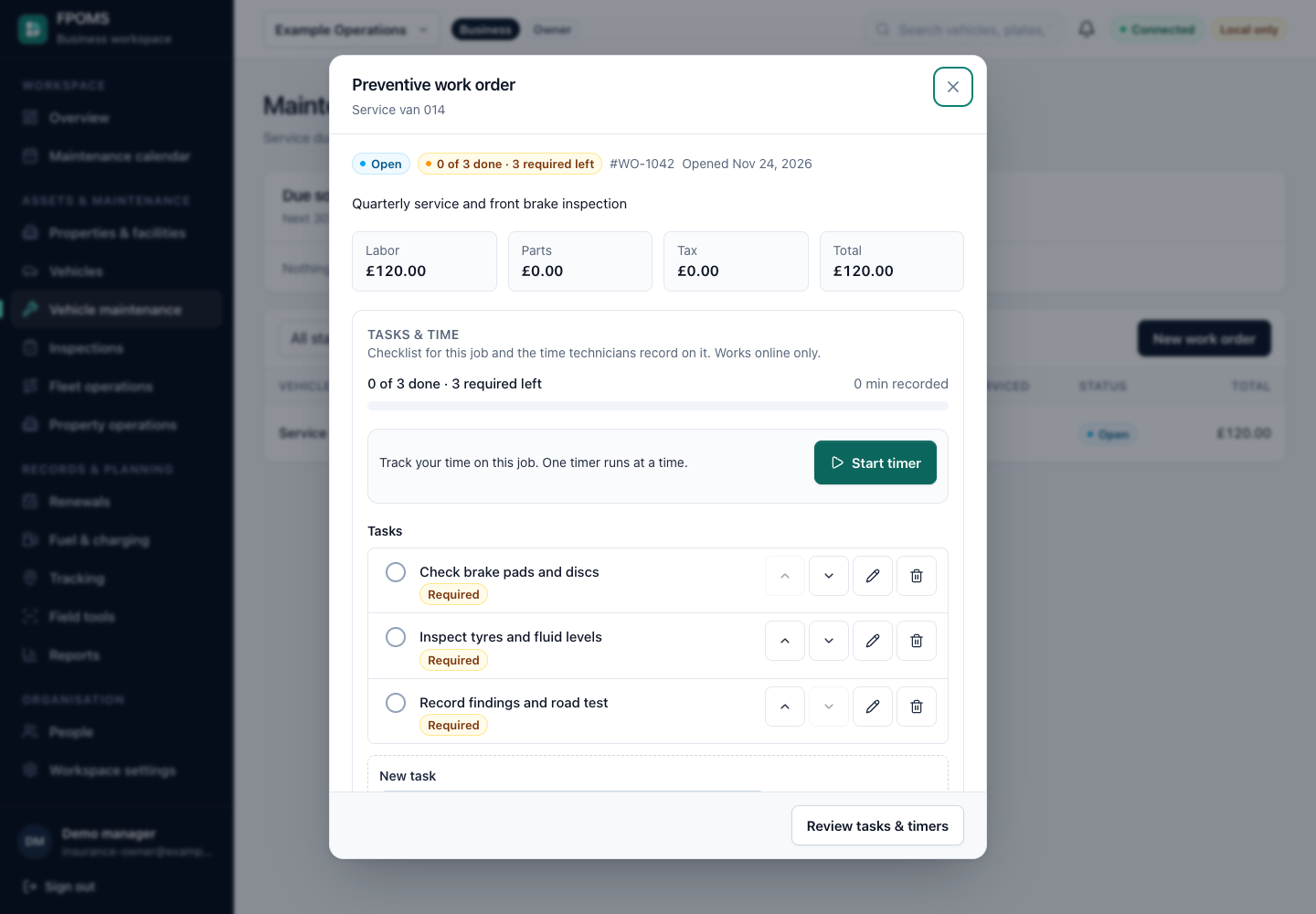
The checklist defines the job, and time is recorded against the order by each technician, so you can see what was done and how long it took.
- Task checklists on each order
- Technician time recorded against the order
- Orders close once their checklist is complete
- Inspect front pads and discs: done
- Replace front brake pads: done
- Bleed and top up brake fluid: done
- Road test: to do
- Update service record: to do
- Technician A1h 40m
- Technician B0h 35m
Planned maintenance that shows up in time
Recurring schedules for vehicles and building assets put upcoming service on the overview before it becomes overdue.
- Recurring schedules with due dates
- Needs attention now, and due in the next 30 days
- Each item opens its record
Needs attention 2
- VEH-014Panel van service4 days late
- FWO-208Block B boiler repairUrgent
Next 30 days 2
- SCH-112Extinguisher checkin 6 days
- SCH-121Boiler annual servicein 22 days
Parts & stock you can account for
Every movement is recorded, so you can see where a part came from and which job it went to.
- Goods received against purchase orders
- Parts used on work orders, and returns
- Transfers between stock locations
- Stocktakes that reconcile counts with the shelf
| Movement | Reference | Qty |
|---|---|---|
| Receipt | PO-0412 | +20 |
| Used on work order | WO-1187 | −4 |
| Return | WO-1187 | +1 |
| Transfer to Depot 2 | TRF-077 | −6 |
| Stocktake adjustment | STK-019 | −1 |
Get started
See a work order from start to finish.
We’ll walk through the flow with the kind of jobs your team does.